
Below you can find various demonstrations of KonaKart working within different scenarios. However, we feel that the best testimonials of the power and flexibility of KonaKart are the web sites of our customers in production.
 |
 |
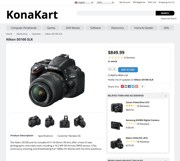 |
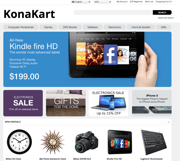
KonaKart eCommerce application – View Demo
This application uses the KonaKart client and server libraries. The UI consists of JSP files calling Struts actions, the source of which is available in the download package.
What to try:
- Add a product to the cart and immediately see shipping charges and promotional discounts without needing to log in or register. Enter coupon code 12345 to get a 10% discount on your basket total.
- Try out the intelligent suggested search feature that detects product categories and manufacturers to suggest things like “action by warner”, “action by fox” or “microsoft in keyboards”, “microsoft in mice”
- Try out searching for something spelled incorrectly and see what is suggested.
- Make your browser smaller to see the responsive design.
- See Faceted Search in action by clicking on the DVD Movies>>Action category
- Earn reward points for orders, for registering and writing reviews. Redeem points during checkout.
- See a bundle made from two products in the catalog.
- Click the repeat button next to your previous orders to re-submit them.
- Register and manage your wish list.
- Create a wedding list. Search and buy from wedding lists.
- Change the language and currency.
Customers
 |
 |
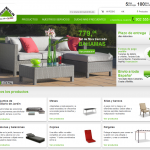 |
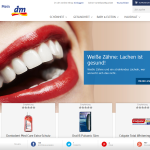
See more examples in our customer section.
KonaKart JavaScript Tiles – View Demo
KonaKart JavaScript Tiles are building blocks that allow you to easily add eCommerce functionality to any web site. The demo page contains links that allow you to render individual tiles. It demonstrates how the tiles may be easily added to an HTML page and how they may run independently.
In the next section you can see the tiles in action, providing an eCommerce store within a facebook page.
Facebook eCommerce Store – View Demo
The demo shows how you can easily integrate a KonaKart eCommerce store into a facebook page so that you can sell your products directly from facebook. The store consists of a collection of KonaKart JavaScript tiles dynamically created on the page. They communicate using our JSON APIs to the same eCommerce server running our standard storefront demo. This means that you can use the same account on both storefront applications since they are providing a customer with different channels to the same store.
Facebook Messenger AI powered bot – View Video
The purpose of the KonaKart Messenger Bot is to help customers find products managed by a KonaKart store, using the Messenger interface. The bot goes beyond simple keyword searches and uses the wit.ai artificial intelligence engine to attempt to understand certain message types (intents) and to respond accordingly. View the video to see how it works.
Facebook Shopping Widgets – View Demo
The demo shows how you can easily integrate a KonaKart shopping widget into a facebook page. The widget allows you to increase the visibility of your products to a wider audience by simply inserting a few lines of JavaScript into the page. The widget allows your customers to view product information including reviews, manage the cart and to start the checkout process.
Liferay Portlets – Documentation – Portlets
These Liferay portlets allow you to create an eCommerce storefront using a modular approach. They are similar to KonaKart JavaScript tiles except that they can be managed from Liferay as portlets. The download consists of modules that can be added to a Liferay 7 / DXP workspace and deployed from there.
KonaKart jQuery Plugin – View Demo
All KonaKart Application APIs are available in a JavaScript library. The JavaScript library communicates with KonaKart using JSON and AJAX, making use of some jQuery functionality. This is very powerful since it allows you to integrate KonaKart functionality directly into any web application using JavaScript.
The demo consists of just an HTML page communicating with the KonaKart engine running our online demo. You can drag items into the cart and when you checkout, it forwards you to the online demo to complete the checkout process.
SOAP Web Service – View WSDL
The WSDL pointed to by the above link, describes a SOAP/JAXWS Web Service that implements a running KonaKart Server Engine. In fact, it is the same engine instance and database instance used to power the other demonstrations. You may test the KonaKart web service interface by writing a web service client (in the technology of your choice) from the WSDL.
Note: You can download example source files and an ant build file for automatically creating java web service clients for the KonaKart JAXWS/SOAP web services – see the documentation for more details.
Videos
Watch KonaKart videos in our video section.